
Latest from Gkash > Products
How to Top Up Your Grab Driver Account via ATX with Gkash
A Simple Guide to Purchasing Your Grab Driver Top Up PIN Online
Category: Tutorial

Top Up Your Grab Driver Account Easily Online
Grab drivers can conveniently purchase their Grab Driver Top Up PIN online through the ATX Grab Driver Top Up Portal.
As a Gkash merchant, ATX uses Gkash payment solutions to provide customers with convenient online payment options when purchasing their Top Up PIN.
From selecting your preferred top up amount to completing your payment online, the process can be completed in just a few simple steps.
Follow the guide below to get started.
Step 1: Visit the ATX Grab Driver Top Up Portal
Go to the ATX Grab Driver Top Up Portal using your mobile phone or other supported device.
Visit ATX Grab Driver Top Up Portal
Enter your active mobile number to begin your purchase.
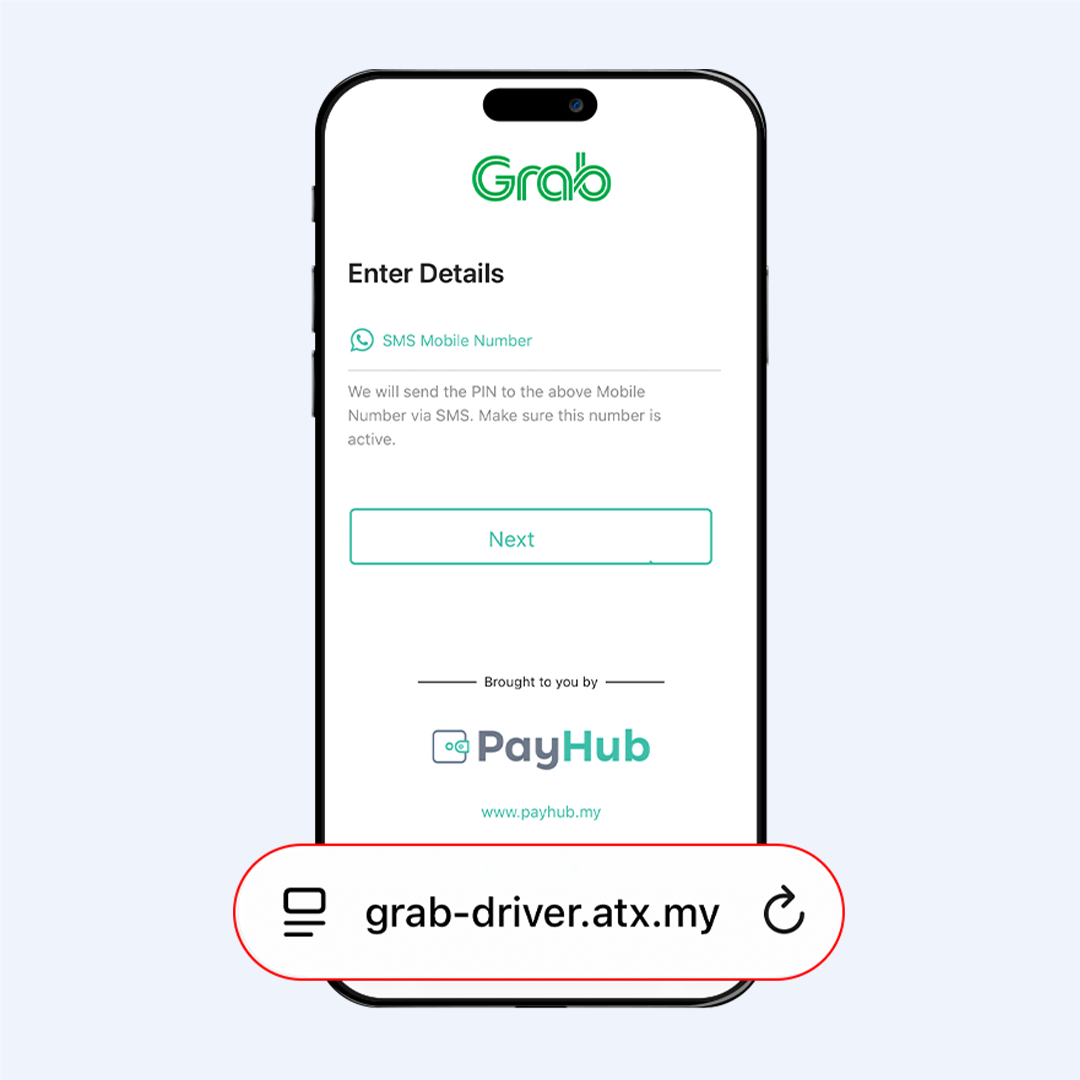
Step 2: Enter Your Details
Fill in the required information on the portal, including:
- Mobile Number
- Email Address
- Preferred Top Up Amount
Make sure the information entered is correct before proceeding.
Once completed, select Proceed to Payment.
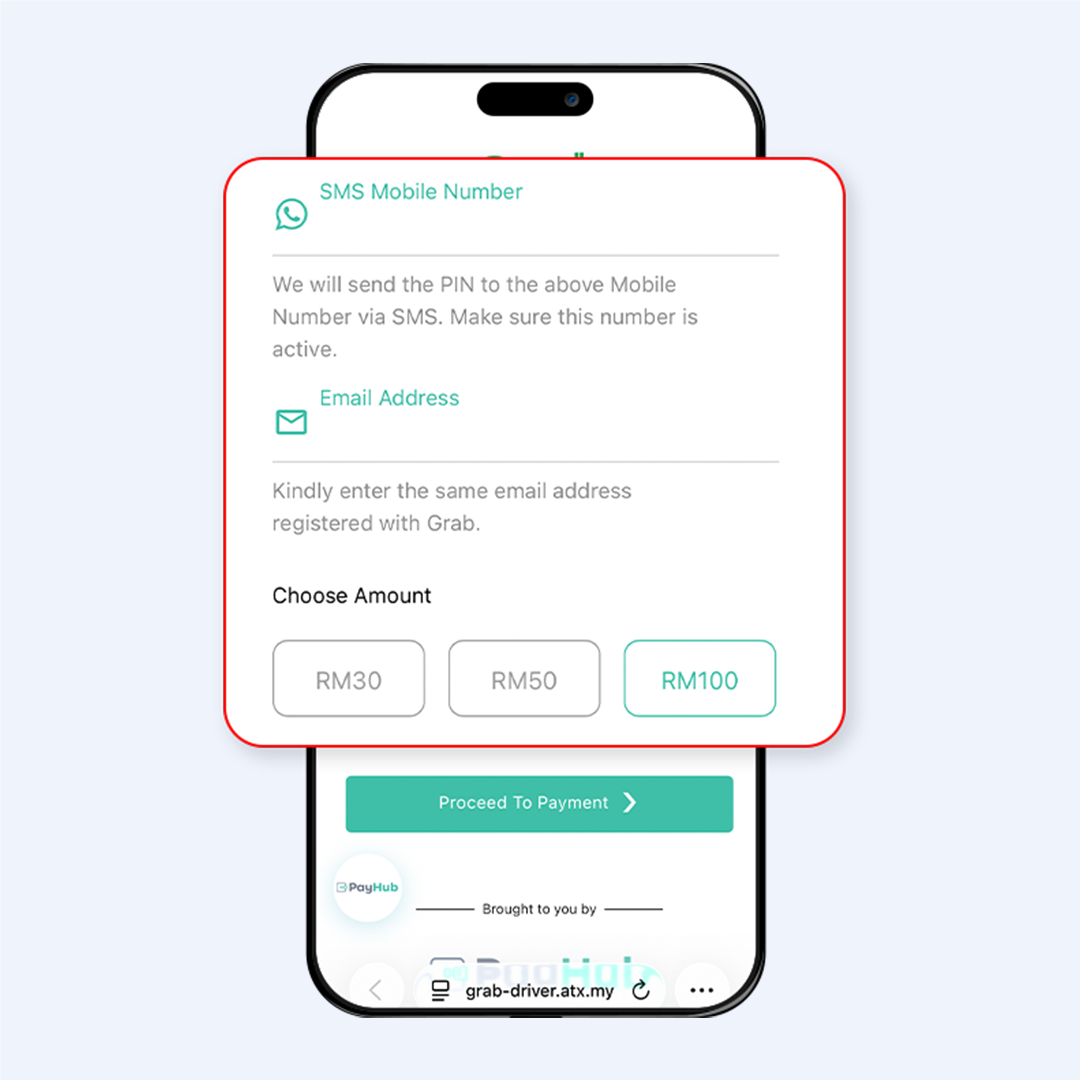
Step 3: Choose Your Preferred Payment Method
You will be redirected to the payment page, where you can choose from the available payment methods.
Depending on availability, payment options may include:
- Online Banking (FPX)
- Credit / Debit Card
- Supported E-Wallets
Select your preferred payment method and follow the on-screen instructions to continue.
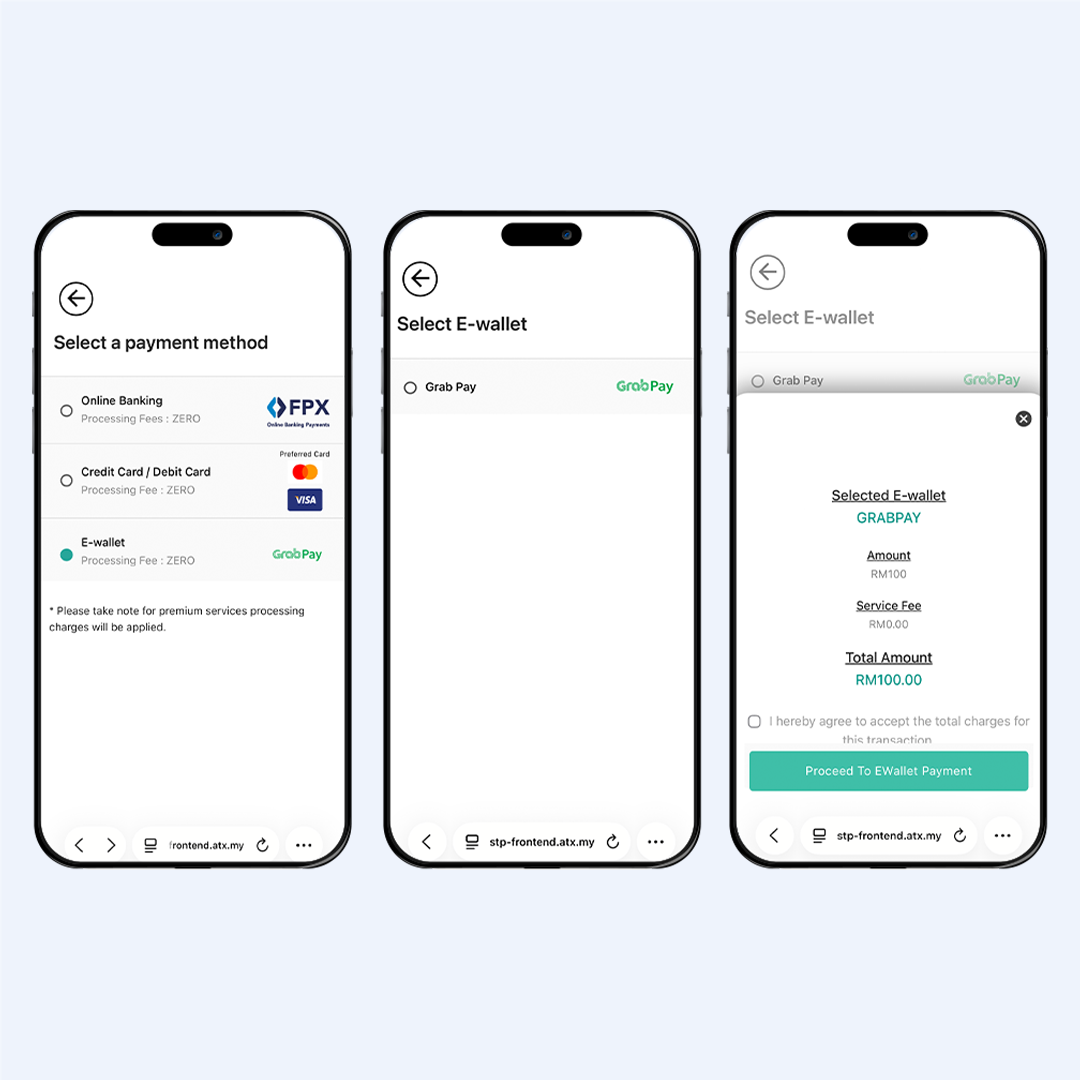
Step 4: Complete Your Payment
Review your transaction details and complete your payment securely through Gkash.
Once the payment has been successfully completed, a transaction confirmation will be displayed.
Your Grab Driver Top Up PIN will then be provided according to the instructions shown on the ATX portal.
Keep your Top Up PIN and transaction details safe until you have completed the top up process.
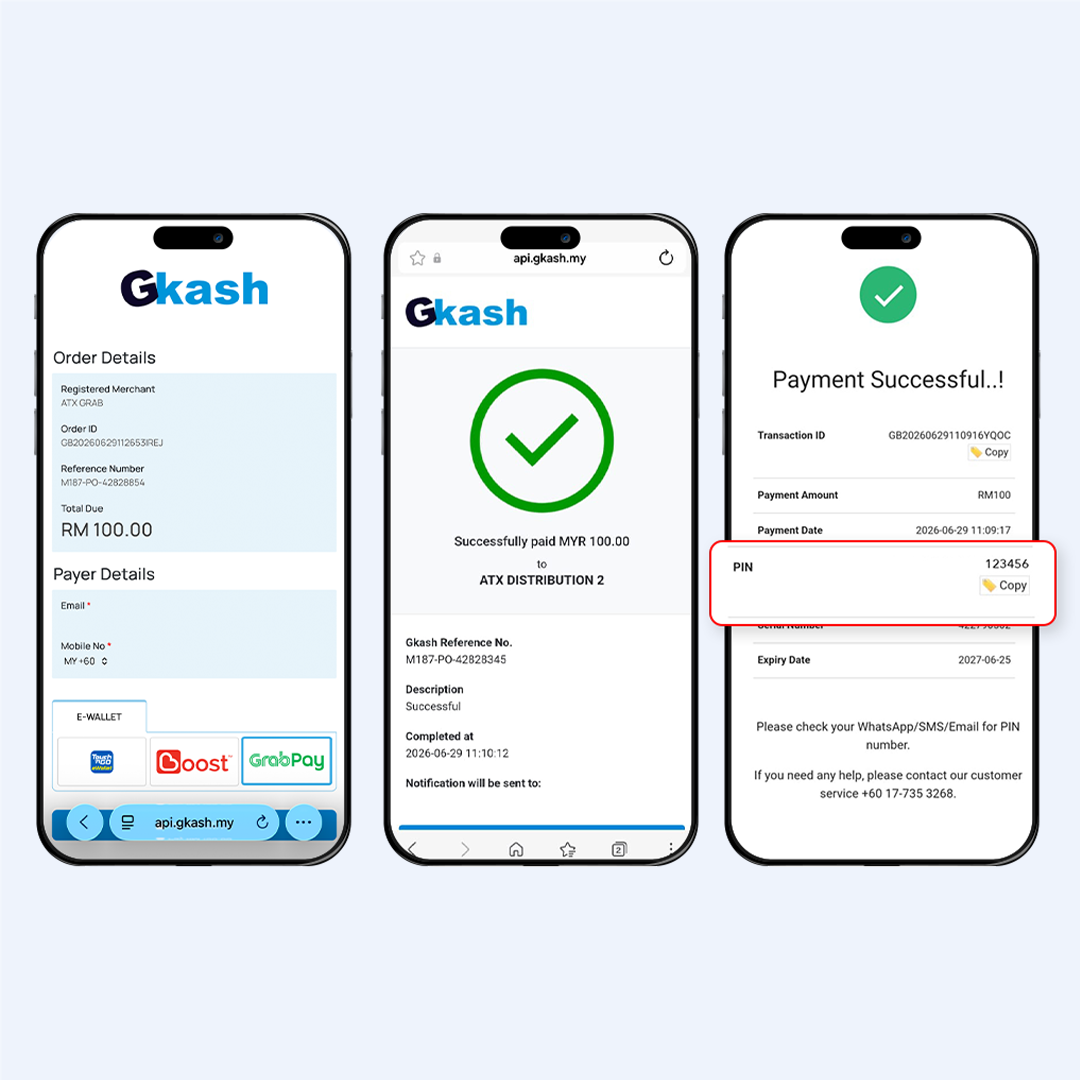
Step 5: Redeem Your Grab Driver Top Up PIN
Once you have received your Top Up PIN, proceed to the applicable Grab redemption page or process.
Enter the required information together with your purchased Top Up PIN and follow the on-screen instructions to complete your Grab Driver Wallet top up.
Always check that the information entered is correct before confirming your redemption.
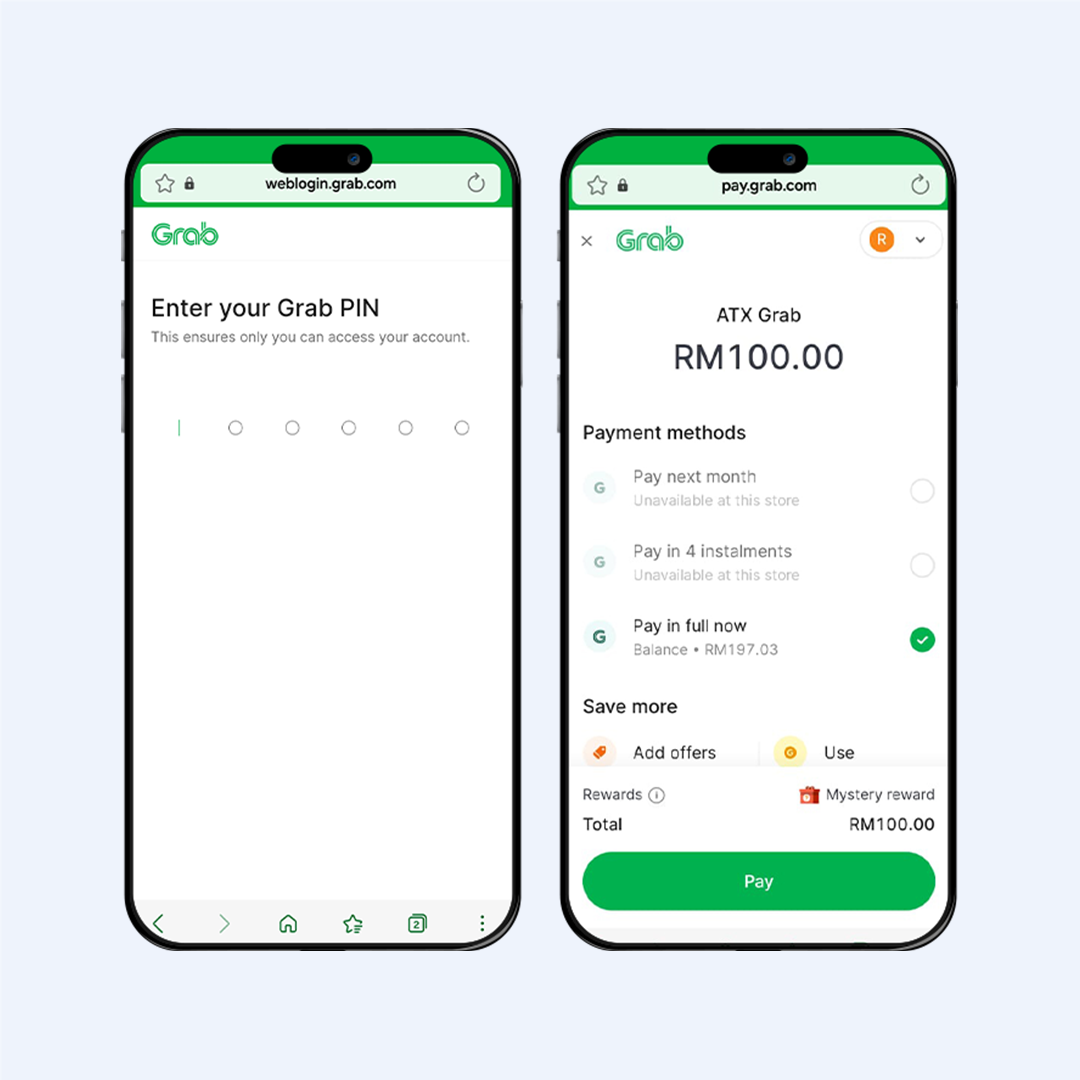
Pay with GrabPay and Earn GrabCoins
GrabPay may also be available as one of the payment options when purchasing your Grab Driver Top Up PIN.
Eligible transactions completed using GrabPay may qualify for GrabCoins rewards, subject to Grab’s applicable terms, eligibility requirements and programme availability.
Terms and conditions apply.
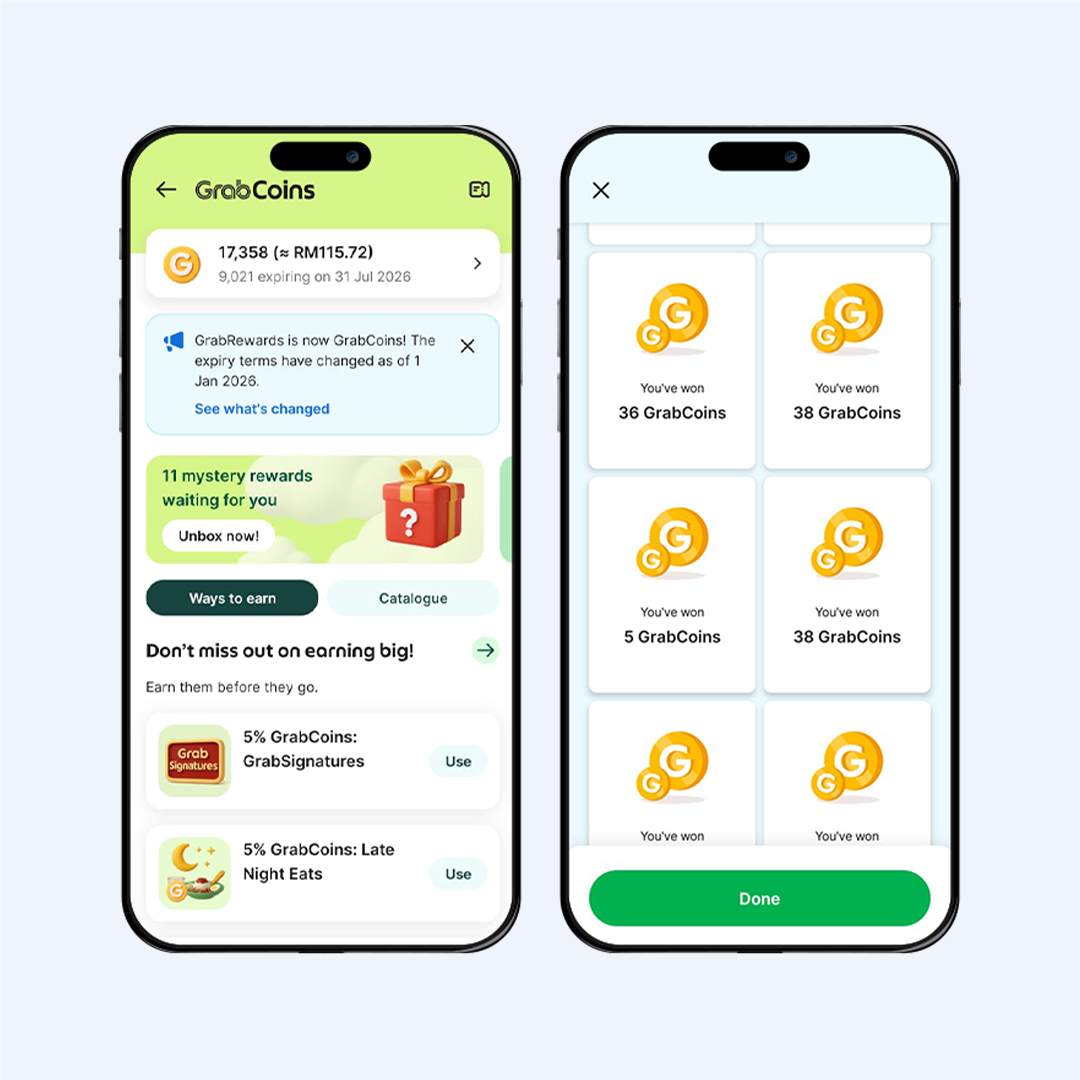
A Convenient Way to Purchase Your Grab Driver Top Up PIN
The ATX Grab Driver Top Up Portal provides Grab drivers with a convenient way to purchase Top Up PINs online without the need to purchase them physically.
With Gkash supporting the online payment process, drivers can select their preferred payment method and complete their purchase digitally.
Whether you’re using Online Banking (FPX), card payment or an available eWallet, simply select the payment option displayed at checkout and follow the instructions to complete your transaction.
Ready to Top Up?
Purchase your Grab Driver Top Up PIN online through the ATX Grab Driver Top Up Portal and complete your payment conveniently with Gkash.
Available top up amounts, payment methods, fees, rewards and portal features are subject to availability and may change from time to time.